Adding Accented Characters
Windows
Using PowerAccent
PowerAccent works in all softwares that support text input.
- Press and hold a letter that supports diacritic marks, then...
- press space bar or arrow key to choose the desired accented character
- press space/arrow key again to cycle through available accented characters
- release the letter key to insert the chosen accented character

PowerAccent is also available as part of Microsoft's PowerToys, under the name Quick Accent.
PowerToys can be installed directly through the Microsoft Store.
Using ALT Codes
Press and hold the Alt key, then enter the appropriate sequence of numbers from the table below using the Numeric Keypad (not the row of numbers on the top of the keyboard).
Many, but not all characters can be inputted with the numeric ALT codes. You can also use the Character Map utility for any code.
NOTE: Codes with numbers over 255 are only available in Microsoft Word.
| Accent | A | E | I | O | U | Y | W |
|---|---|---|---|---|---|---|---|
| Circumflex (Cap) |
 0194 |
Ê 0202 |
Î 0206 |
Ô 0212 |
Û 0219 |
Ŷ 0374 |
Ŵ 0372 |
| Circumflex (Lower) | â 0226 |
ê 0234 |
î 0238 |
ô 0244 |
û 0251 |
ŷ 0375 |
ŵ 0373 |
| Acute (Cap) |
Á 0193 |
É 0201 |
Í 0205 |
Ó 0211 |
Ú 0218 |
Ý 0221 |
Ẃ 7810 |
| Acute (Lower) | á 0225 |
é 0233 |
í 0237 |
ó 0243 |
ú 0250 |
ý 0253 |
ẃ 7811 |
| Umlaut (Cap) |
Ä 0196 |
Ë 0203 |
Ï 0207 |
Ö 0214 |
Ü 0220 |
Ÿ 0159 |
Ẅ 7812 |
| Umlaut (Lower) | ä 0228 |
ë 0235 |
ï 0239 |
ö 0246 |
ü 0252 |
ÿ 0255 |
ẅ 7813 |
| Grave (Cap) |
À 0192 |
È 0200 |
Ì 0204 |
Ò 0210 |
Ù 0217 |
Ù 0217 |
Ẁ 7808 |
| Grave (Lower) | à 0224 |
è 0232 |
ì 0236 |
ò 0242 |
ù 0249 |
Ù 0217 |
ẁ 7809 |
| Macron/Long (Word Only) (Cap) |
Ā 0256 |
Ē 0274 |
Ī 0298 |
Ō 0332 |
Ū 0362 |
Ȳ 0562 |
— |
| Umlaut (Lower) | ā 0257 |
ē 0275 |
ī 0299 |
ō 0333 |
ū 0363 |
ȳ 0563 |
— |
(from https://sites.psu.edu/)
MacOS
The below applies specifically to ŵ and ŷ; other circumflexed or accented characters are available under English.
- Go to
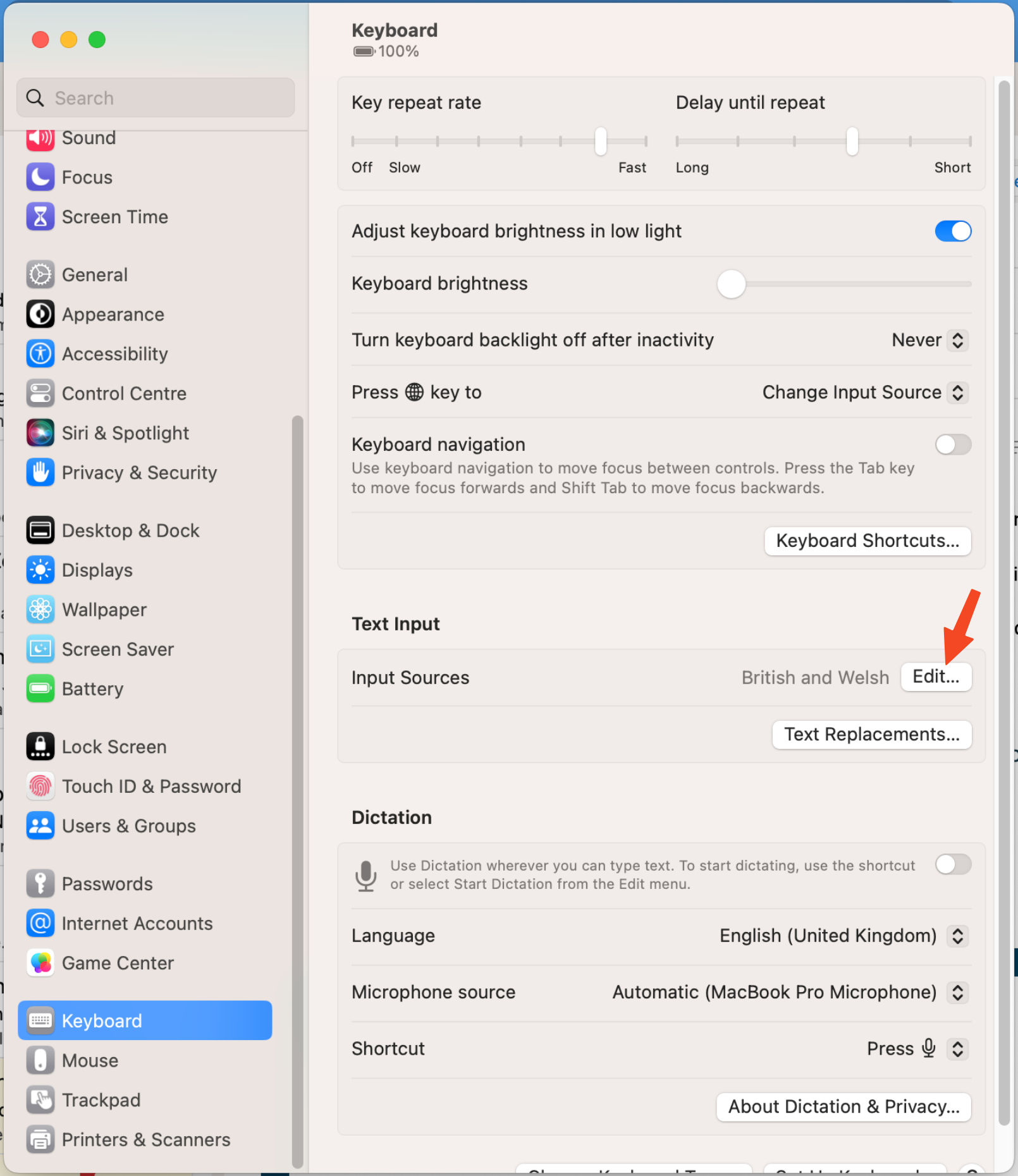
System Settings -> Keyboard -> Text InputandEdit...Input Sources
(PreviouslySystem Preferences -> Keyboard -> Input Sourcesin older versions of MacOS)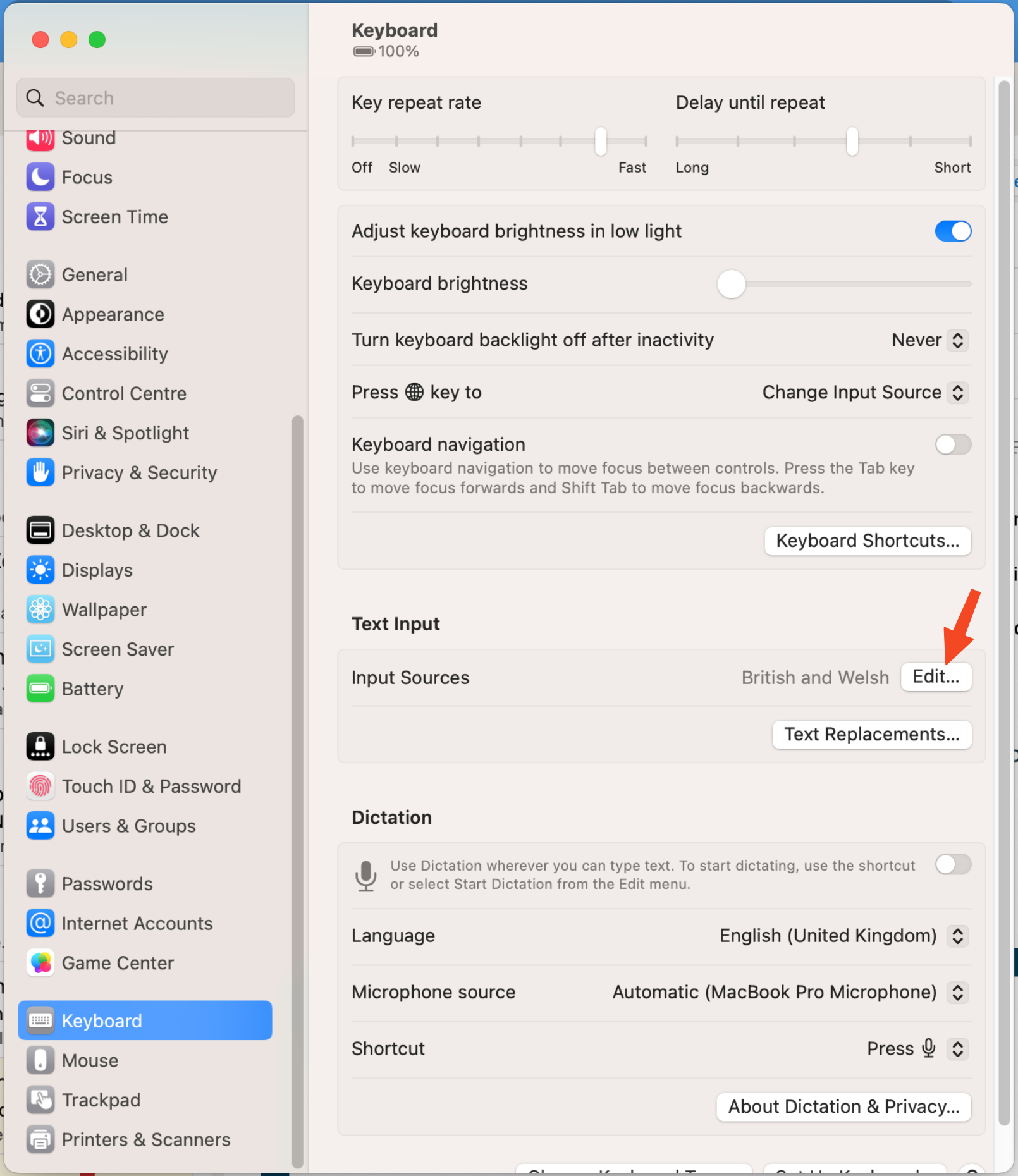
- Ensure
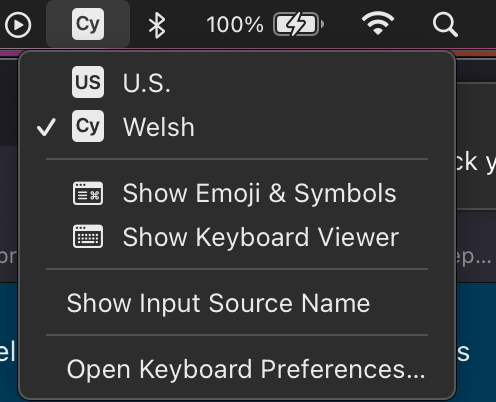
Welshhas been added to your list of Input Sources - Switch to
Welsh(either by using the language-switch key on your keyboard or by using the option in the menu bar)
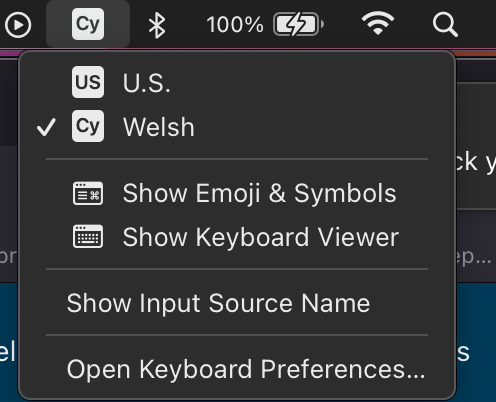
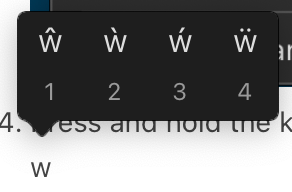
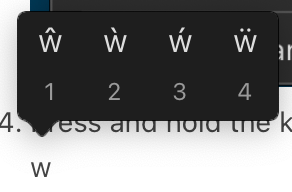
- Press and hold the key you wish to add an accent to until a popup appears, then press the number key that corresponds to the accent you want